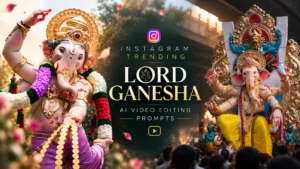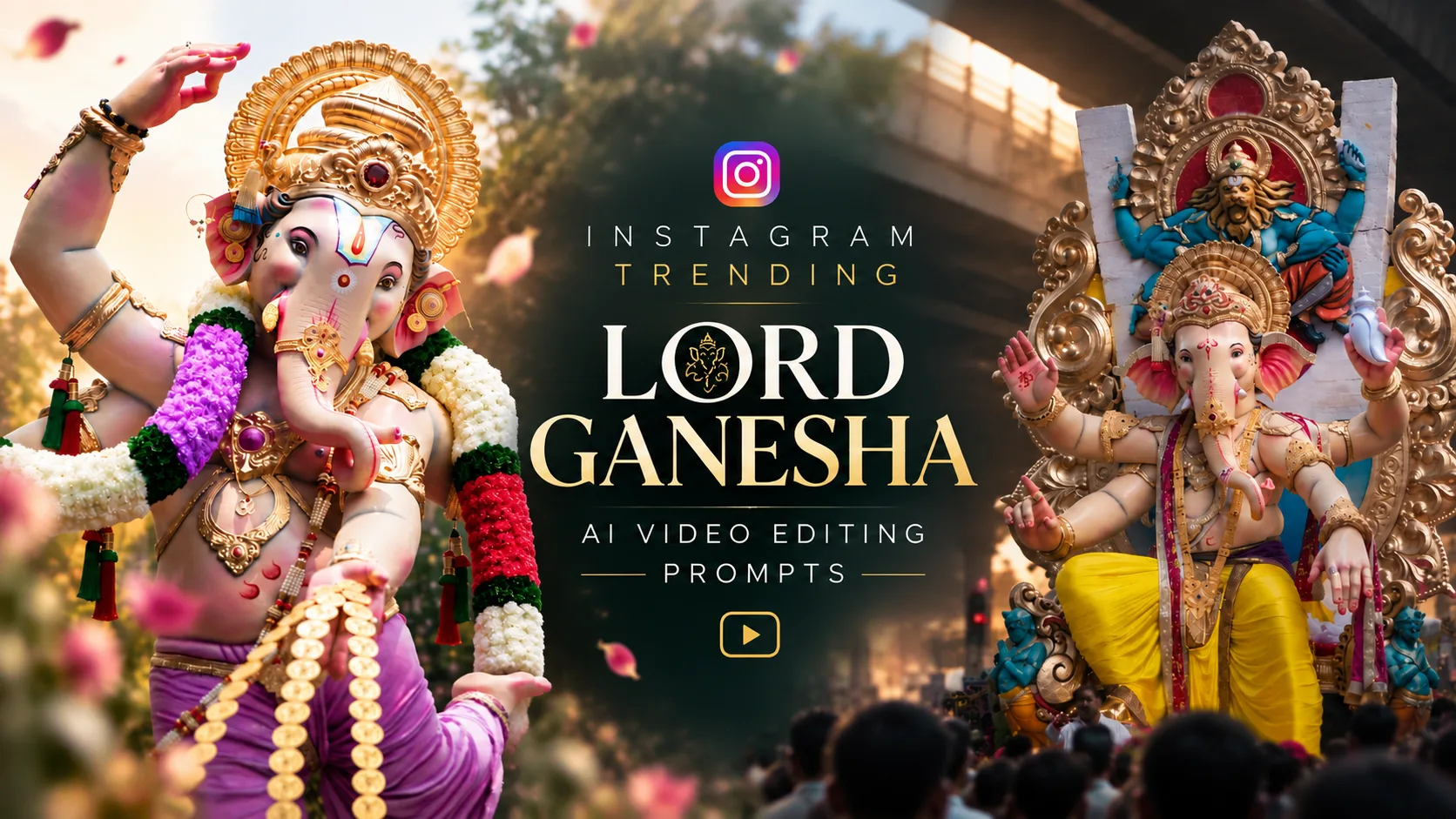
AI Prompts to Animate Lord Ganesha Images into Cinematic Videos
AI image-to-video technology has made it easier than ever to transform a beautiful still image into a cinematic moving scene. Instead of using a static image of Lord Ganesha for a devotional video, creators can now add subtle movements such as eye blinking, gentle trunk movement, hand gestures, head movement, flowing flowers, and divine lighting effects.
If you are planning to create a Lord Ganesha AI animation video, the key is to keep the movement subtle and respectful. The goal is not to completely transform the original image, but to make it feel naturally alive while preserving the original appearance, pose, ornaments, colors, and devotional atmosphere.
In this guide, you will find 10 detailed AI image-to-video prompts that can be used as inspiration for creating cinematic Lord Ganesha animation clips. These prompts are designed around different movements so that you can generate individual clips and combine them later during video editing.
Why Use Separate AI Animation Prompts?
One common mistake when creating an image-to-video animation is asking the AI to animate everything at the same time. For example, if you ask it to move the eyes, trunk, hands, legs, head, clothing, and camera simultaneously, the generated video may contain unwanted distortions.
A better approach is to create multiple short clips.
You can generate:
- One clip for eye blinking
- One clip for trunk movement
- One clip for the blessing hand
- One clip for head movement
- One clip for finger movement
- One clip for subtle body movement
- One clip for flowers and garlands
- One clip for divine lighting
- One clip for eye contact
- One final blessing shot
These clips can then be edited together into a longer cinematic devotional video.
1. Divine Eye Blink Prompt
The first animation can focus completely on the eyes. A slow blink can create a surprisingly powerful effect when used with a devotional image.
AI Prompt
Animate the provided Lord Ganesha image into a subtle, ultra-realistic divine cinematic video. Preserve the exact original Ganesha idol/design, face, trunk shape, eyes, crown, ornaments, clothing, colors, body proportions, pose, background, lighting, and composition. Do not redesign or morph any element. The eyes slowly and naturally blink once, with a peaceful and compassionate expression. After the blink, the eyes gently open and remain focused forward. Add extremely subtle natural eyelid movement and a soft divine expression. The trunk remains mostly still with only a very slight natural movement. Jewelry and fabric move minimally. Add subtle floating dust/light particles in the atmosphere. Camera remains almost completely static with a very slow cinematic push-in. Movement must be graceful, sacred, peaceful, and realistic. No exaggerated facial movement, no talking, no lip movement, no distortion, no morphing, no extra limbs, no change in identity. Photorealistic devotional cinematic quality, soft temple atmosphere, natural motion, smooth animation, highly detailed.
2. Gentle Trunk Movement
The trunk is one of the most recognizable features of Lord Ganesha. A very subtle side-to-side movement can make the animation feel natural without changing the original design.
AI Prompt
Using the provided Lord Ganesha image as the exact visual reference, create a cinematic devotional animation. Keep the original Ganesha completely unchanged in appearance, including face, eyes, trunk structure, crown, jewelry, clothes, hands, legs, colors, proportions, pose, and background. Animate only the trunk with a very slow, elegant and gentle movement. The trunk gradually moves slightly toward the left, pauses naturally, then slowly returns toward the center and subtly moves toward the right before settling into its original position. The movement should feel divine and graceful, not like a human or cartoon character. Preserve the anatomical/design structure of the original idol throughout the animation. Eyes can perform one subtle natural blink during the movement. Jewelry and cloth may have extremely subtle secondary motion. Use a slow cinematic camera push-in. Maintain stable framing and composition. No deformation, no melting, no face morphing, no changing ornaments, no extra limbs, no body transformation, no exaggerated trunk movement. Ultra-realistic, sacred devotional atmosphere, cinematic lighting, smooth natural motion, high detail.
3. Divine Blessing Hand Movement
A blessing gesture can become the emotional centerpiece of the video. Keep the hand movement slow and controlled so that the AI does not distort the fingers.
AI Prompt
Animate the provided Lord Ganesha image while preserving the exact original idol and composition. The blessing hand slowly and gracefully moves slightly forward and upward as if Lord Ganesha is giving divine blessings to the viewer. The palm remains clearly visible and maintains the exact original hand shape and gesture. The fingers make only extremely subtle natural movements while maintaining the traditional blessing mudra. After reaching the blessing position, the hand gently settles and returns very slightly toward its original position. Keep the face, eyes, trunk, crown, jewelry, clothing, other hand, legs, body proportions and background completely unchanged. Add one gentle eye blink and a peaceful compassionate gaze toward the camera. Create a subtle divine golden glow around the figure, with tiny floating particles and soft atmospheric light. Camera performs a very slow cinematic push-in. The animation must be respectful, devotional, elegant and realistic. No exaggerated hand movement, no finger distortion, no additional fingers, no morphing, no changing pose, no talking. High-end cinematic devotional video, smooth motion, realistic details, stable identity.
4. Subtle Head and Face Movement
A slight head turn can be effective for a cinematic close-up. The movement should be only a few degrees rather than a dramatic rotation.
AI Prompt
Create a subtle cinematic animation from the provided Lord Ganesha image. Preserve the exact face, facial structure, eyes, trunk, crown, ornaments, clothing, body proportions, pose, background and lighting. Animate the head with an extremely subtle divine movement: the head slowly turns a few degrees toward the left, gently pauses, then returns to the center and slightly turns toward the right before settling back into the original position. The movement should be extremely slow and graceful, similar to a sacred divine presence coming alive. During the movement, the eyes remain calm and focused naturally, with one soft blink. The trunk follows the head movement only minimally and naturally without changing its shape. Keep all jewelry and clothing stable with only tiny secondary motion. No talking, no lip movement, no exaggerated head rotation, no facial morphing, no identity change, no distortion. Static cinematic composition with a very subtle camera push-in. Peaceful temple ambience, divine atmosphere, realistic cinematic lighting.

5. Subtle Finger and Hand Movement
If the original image contains a clearly visible hand gesture, you can create a separate clip focusing on delicate finger movement.
AI Prompt
Animate only the hands and fingers of the provided Lord Ganesha image. Preserve the exact original Ganesha design, face, trunk, crown, jewelry, clothes, body, pose and background. The fingers of the visible hand make very subtle, slow and graceful movements while maintaining the original traditional mudra. The palm remains stable and the gesture stays devotional. The movement should be delicate and barely noticeable, creating the feeling of a living divine idol without making it look human or cartoon-like. Add a very subtle eye blink and minimal trunk movement for natural continuity. Jewelry catches tiny realistic highlights as the hand moves. Clothing remains mostly still. No extra fingers, no finger merging, no distorted hands, no morphing, no change of mudra, no body transformation. Smooth realistic motion, sacred devotional mood, cinematic lighting, high detail.
6. Subtle Lower Body Movement
For seated Ganesha images, avoid asking the AI to make the idol walk or dramatically move its legs. Instead, use an extremely subtle posture movement.
AI Prompt
Create a highly subtle devotional animation from the provided Lord Ganesha image. Preserve the exact original body position, legs, feet, clothing, ornaments, face, trunk, hands and overall composition. Animate the lower body and feet with extremely subtle natural movement, as if the divine figure is gently shifting its posture while remaining seated in the exact same overall position. The legs should move only a few millimeters visually, with no major repositioning. Clothing around the legs responds with very subtle realistic fabric movement. Add a minimal gentle body sway, extremely slow and graceful. The face remains peaceful. Add one subtle eye blink and a tiny trunk movement. Keep the idol's original proportions and design perfectly consistent throughout the entire clip. No walking, no standing, no major leg movement, no deformation, no extra limbs, no morphing, no cartoon animation. Cinematic devotional realism, soft divine lighting, stable camera, smooth motion.
7. Divine Breathing Effect
A subtle breathing-like movement can create the impression of a living divine presence. However, it should remain extremely subtle.
AI Prompt
Transform the provided Lord Ganesha image into a subtle living divine cinematic scene. Preserve the exact original Ganesha design and composition. Create an extremely subtle rhythmic movement through the upper body, shoulders and clothing, suggesting a peaceful divine breathing presence. The movement must be almost imperceptible and should never make the idol look like a normal human. The eyes slowly blink once. The trunk makes a tiny natural movement. The fingers remain almost still. Add very subtle movement to the clothing and jewelry, as if affected by a gentle invisible breeze. Soft golden divine light gently pulses around the figure without changing the original colors or details. Tiny glowing dust particles slowly float through the air. Camera remains stable with an extremely slow cinematic push-in. Sacred, peaceful, spiritual, photorealistic devotional atmosphere. No talking, no lip movement, no exaggerated breathing, no body deformation, no morphing, no changes to face or ornaments.
8. Flower and Garland Movement
Flowers, garlands, and fabric can provide excellent secondary motion. This is especially useful when you want the main idol to remain almost completely still.
AI Prompt
Animate the provided Lord Ganesha image with subtle realistic environmental motion. Preserve the exact Ganesha idol, face, trunk, eyes, crown, jewelry, clothing, pose, flowers and background. Create a gentle invisible breeze moving the flower garlands, loose flowers and fabric very slightly from side to side. The flowers sway naturally with realistic physics and gradually settle. Ganesha himself remains almost completely still, with only one gentle eye blink and an extremely subtle trunk movement. Add tiny floating flower petals and soft glowing particles moving slowly through the scene. Maintain the exact original composition and lighting. No new flowers, no disappearing flowers, no changing ornaments, no body morphing, no exaggerated wind. Ultra-realistic cinematic devotional atmosphere, elegant slow motion, peaceful spiritual mood.
9. Direct Divine Eye Contact
For an emotional close-up, eye contact can make the viewer feel more connected to the scene.
AI Prompt
Animate the provided Lord Ganesha image into an emotionally powerful devotional cinematic shot. Preserve the exact original face and all visual details. The eyes initially remain peaceful and slightly relaxed. Slowly the eyes become more focused toward the camera, creating the feeling that Lord Ganesha is looking directly at the viewer with compassion and divine presence. Perform one slow natural blink, then gently open the eyes and maintain a calm, loving gaze. The trunk moves only very slightly. The head remains almost still. A subtle warm divine glow gradually becomes stronger around the face while preserving the original skin/idol colors and details. Use an extremely slow cinematic camera push-in toward the face. The expression must remain peaceful and sacred, never exaggerated. No talking, no lip movement, no facial distortion, no eye deformation, no identity change, no morphing. Photorealistic devotional cinema, spiritual atmosphere, smooth natural movement, high detail.
10. Final Divine Blessing Shot
The final clip can bring several subtle elements together. This works particularly well as the closing shot of a devotional reel.
AI Prompt
Create a cinematic climax from the provided Lord Ganesha image. Preserve the exact original Ganesha idol, face, trunk, crown, ornaments, clothing, hands, legs, proportions and composition. Begin with a calm static shot. Slowly animate the eyes opening with a divine compassionate gaze toward the viewer. The blessing hand gently moves forward toward the camera while maintaining the exact traditional blessing mudra. The fingers make a very subtle natural movement. The trunk moves gently to one side and returns toward its original position. A soft golden divine aura gradually intensifies behind and around Lord Ganesha. Tiny glowing particles and flower petals slowly float through the air. The camera performs a very slow cinematic push-in, ending on a powerful close devotional composition. The final moment should feel like Lord Ganesha is personally giving blessings to the viewer. Sacred, emotional, peaceful, majestic and cinematic. No talking, no lip movement, no exaggerated movements, no extra limbs, no hand deformation, no facial morphing, no change in identity or original design. Ultra-realistic, high-end Indian devotional cinematic style, smooth motion, realistic physics, beautiful lighting, stable composition.
How to Combine These Clips into a Reel
After generating the individual clips, you can combine them in a video editor to create a longer cinematic sequence.
A simple sequence could be:

Eye Blink → Trunk Movement → Head Movement → Hand Blessing → Flower Movement → Divine Eye Contact → Final Blessing
Keep each clip relatively short and use smooth transitions between them. Slow zooms, gentle camera movements, atmospheric particles, temple ambience, bells, and suitable devotional music can help create a more immersive experience.
You do not need to use every animation in one video. In fact, using four or five carefully selected clips may look more natural than putting every possible movement into a single sequence.
Tips for Better AI Image-to-Video Results
1. Use a high-quality source image
Start with a sharp, high-resolution image. Clear facial details and well-defined hands generally give image-to-video models more information to work with.
2. Keep movements subtle
For devotional imagery, subtle animation usually looks more natural than exaggerated movement. A small eye blink or gentle trunk movement can be more effective than a dramatic transformation.
3. Protect the original identity
Always tell the AI to preserve the original face, ornaments, clothing, colors, proportions, pose, and composition. This can help reduce unwanted changes between the source image and generated video.
4. Generate separate clips
Instead of asking for ten movements in one prompt, generate individual clips. This gives you much more control during editing.
5. Watch for AI distortions
Hands, fingers, eyes, jewelry, and intricate ornaments can sometimes change during AI video generation. Review every clip before using it in the final edit.
6. Use a consistent camera style
If every clip uses a different camera angle, the final reel may look disconnected. A slow push-in, gentle zoom, or mostly static camera can help maintain visual consistency.
Final Thoughts
Creating an animated Lord Ganesha video from a still image can be a beautiful way to combine devotional creativity with modern AI video technology. The most important factor is controlled motion.
Rather than trying to make the entire image move dramatically, focus on small details such as an eye blink, gentle trunk movement, a blessing gesture, subtle head movement, flowing flowers, or a soft divine glow.
The 10 prompts above can be used individually to create separate clips. Once they are generated, you can arrange the best moments together in your preferred video editor and create a cinematic devotional reel.
The result can feel much more immersive than a simple static image while still preserving the original visual identity and peaceful devotional atmosphere.
Tip: Experiment with different clip durations and movement strengths. If an animation looks unnatural, reduce the movement rather than adding more effects. In AI devotional videos, subtlety often produces the most convincing result. Google flow