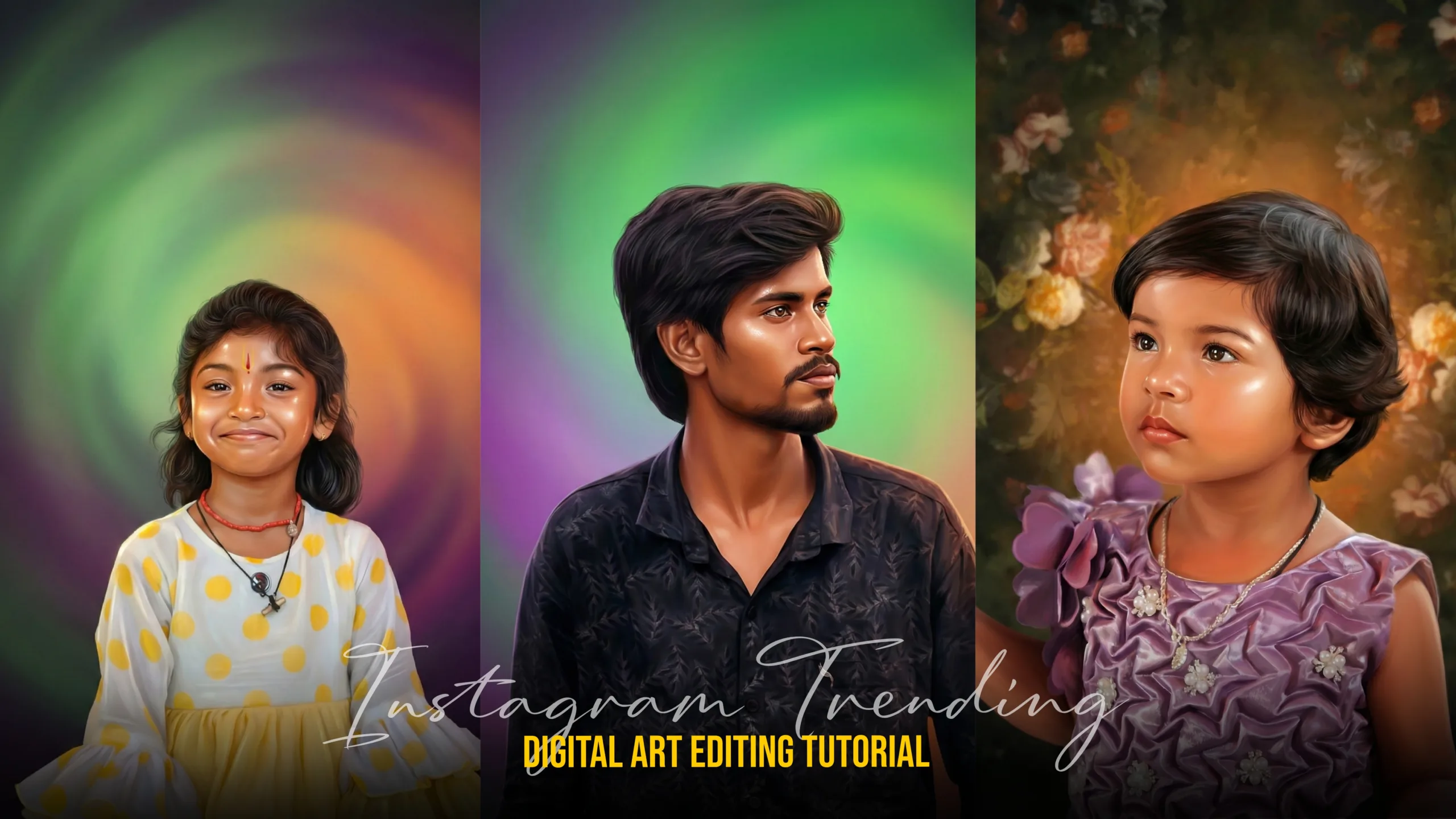
How to Create Digital Painting Images Using Google Gemini (Complete Step-by-Step Guide)2025
Artificial Intelligence has completely changed the way digital art is created. Earlier, digital painting required years of drawing practice, expensive tablets, and professional software. Today, tools like Google Gemini make it possible for beginners and content creators to generate high-quality digital painting images using simple text instructions.
In this guide, you will learn how to create digital painting images using Google Gemini, how to write effective prompts, how to refine AI-generated art, and how creators can think about long-term income stability while working in the digital art space.
What Is Google Gemini?
Google Gemini is an advanced AI system developed by Google that understands text, images, and creative instructions. It can help generate ideas, illustrations, and artistic visuals by converting written prompts into detailed outputs.
For digital artists and creators, Google Gemini helps by:
- Reducing the time required to create artwork
- Making digital painting accessible to beginners
- Supporting multiple art styles such as realistic, cinematic, fantasy, and painterly looks
- Eliminating the need for expensive hardware in the early stages
What Are Digital Painting Images?
Digital painting images are artworks created digitally but designed to look like traditional paintings. They often mimic:
- Oil painting textures
- Watercolor effects
- Acrylic brush strokes
- Concept art and cinematic illustrations
These images are widely used for:
- Instagram and social media posts
- YouTube thumbnails
- Posters and banners
- Freelance client projects
- Print-on-demand products
Why Use Google Gemini for Digital Painting?
Beginner Friendly
You do not need strong drawing skills to start. Clear prompts are enough to generate impressive visuals.
Faster Workflow
What normally takes hours can be done in minutes.
Creative Freedom
You can experiment with different styles, moods, lighting, and concepts without limitations.
Cost Effective
No immediate need for graphic tablets, stylus pens, or premium software.
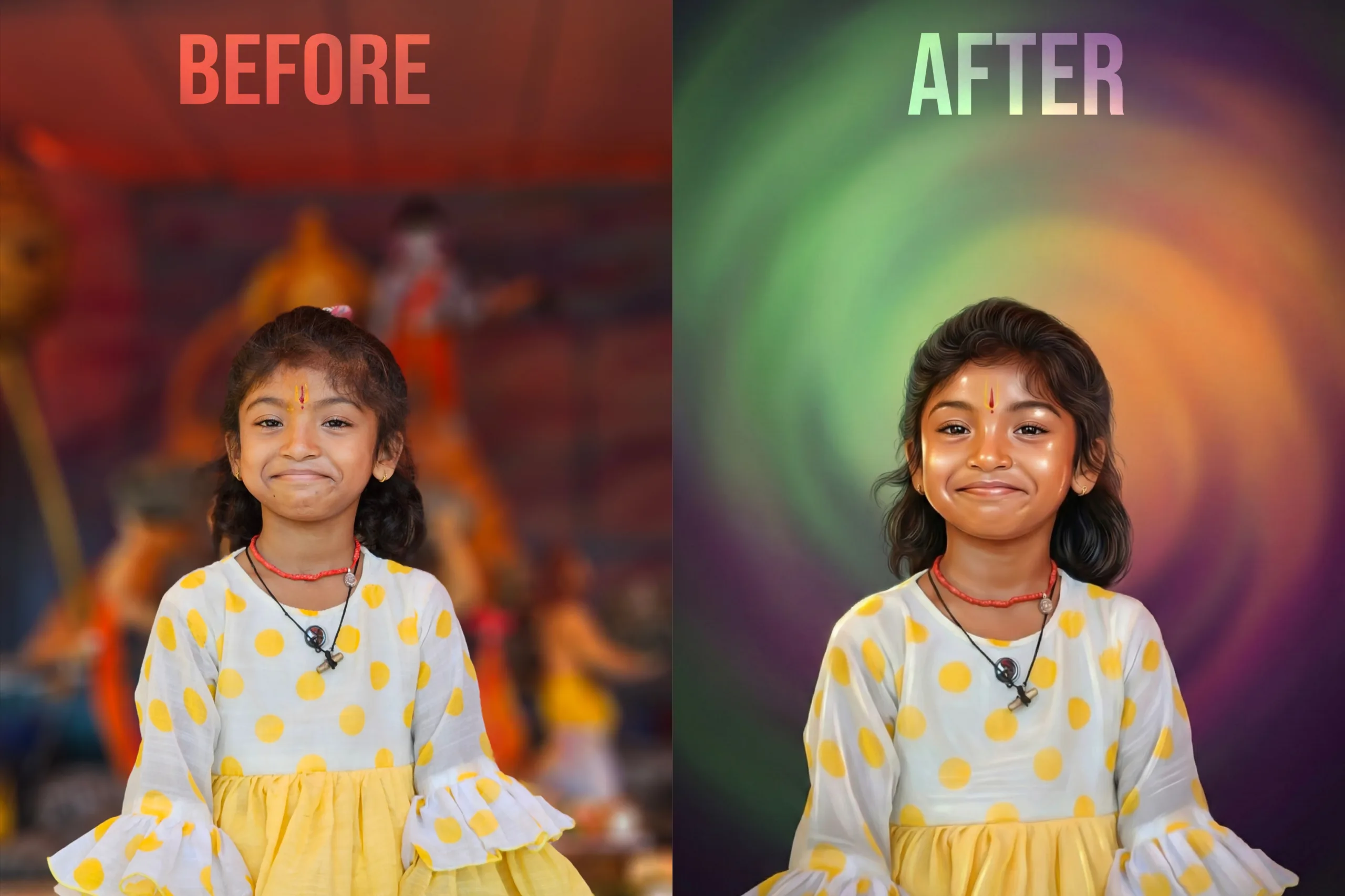
Step-by-Step: How to Create Digital Painting Images Using Google Gemini
Step 1: Decide the Art Style
Before generating an image, decide what type of digital painting you want:
- Realistic portrait
- Cinematic scene
- Fantasy illustration
- Landscape painting
- Concept art
Having clarity improves output quality.
Step 2: Write a Strong Prompt
Prompt writing is the most important step.
Basic Prompt Structure:
- Subject
- Art style
- Lighting
- Mood
- Level of detail
Example Prompt:
Create a detailed digital painting of a man standing on a mountain during golden hour, cinematic lighting, realistic oil painting texture, dramatic sky, professional digital art style.
The more descriptive and clear the prompt is, the better the result.
Step 3: Generate and Refine
After generating the image:
- Review the output carefully
- Improve lighting, colors, or mood by refining the prompt
- Try multiple variations to get the best result
Iteration is normal in AI-based art creation.
Step 4: Enhance the Image
Once you are satisfied with the output, enhance it using basic editing tools like:
- Color correction
- Contrast and clarity adjustments
- Sharpening
This step gives the image a professional finish.
Step 5: Export in the Right Format
Choose the correct resolution based on usage:
- Social media posts
- Thumbnails
- Print designs
Always export in high quality to avoid pixel loss.
Best Google Gemini Prompt Ideas for Digital Painting
- “Realistic digital portrait painting with soft brush strokes and dramatic lighting”
- “Fantasy digital painting with cinematic mood and detailed textures”
- “Movie-style digital painting with volumetric lighting and realistic colors”
- “Landscape digital painting with painterly texture and natural color harmony”
Using style-specific keywords improves artistic depth.
Common Mistakes Beginners Should Avoid
- Writing very short or vague prompts
- Not mentioning art style or lighting
- Over-editing the image
- Exporting in low resolution
- Relying completely on AI without refinement
Avoiding these mistakes improves quality and consistency.
How Digital Painting Creators Make Money
Digital painting images created using AI can be monetized in several ways:
- Freelancing projects (portraits, posters, thumbnails)
- Selling artwork on stock platforms
- Growing Instagram or Pinterest art pages
- Print-on-demand products
- Brand collaborations
Many creators combine AI tools with basic editing skills to build a steady income stream.
Financial Stability and Long-Term Safety for Digital Artists
While digital painting and freelancing offer creative freedom, income is not always predictable. Work can be seasonal, client payments may be delayed, and long working hours in front of screens can affect health.
Important factors digital artists should consider:
- Maintaining stable income streams
- Protecting valuable devices like laptops and tablets
- Managing health issues caused by long screen time
- Planning for long-term financial security
Because of these challenges, many full-time digital creators explore options such as income protection or professional insurance plans to stay financially secure while working independently. Thinking ahead helps creators sustain their careers without unnecessary stress.
This balance between creativity and financial awareness is essential for long-term success.
Why AI Digital Painting Is the Future
- AI reduces entry barriers for beginners
- Creativity becomes faster and more accessible
- Artists can focus more on ideas than tools
- Global opportunities increase through online platforms
Creators who combine AI skills, artistic vision, and smart financial planning are more likely to succeed in the long run.
Prompt 01
Generate a highly detailed digital portrait based on the uploaded photo. Preserve full likeness and
facial structure while enhancing features with smooth warm-toned skin, symmetrical detailing, and
soft glow highlights on the forehead and cheeks. Apply a realistic yet polished illustration style with
glossy skin texture, sharp expressive eyes, and natural hair detail. Add cinematic soft lighting for
depth. Create a Colourful background with softly swirling gradient colours in green, purple and
orange tones, slightly blurred to keep focus on the subject. Use studio portrait composition, centered
framing, high resolution, refined brush strokes, realistic hair texture, and 8K ultra-quality artistic
digital painting finish.” Dont change facial expressions, use the same face.
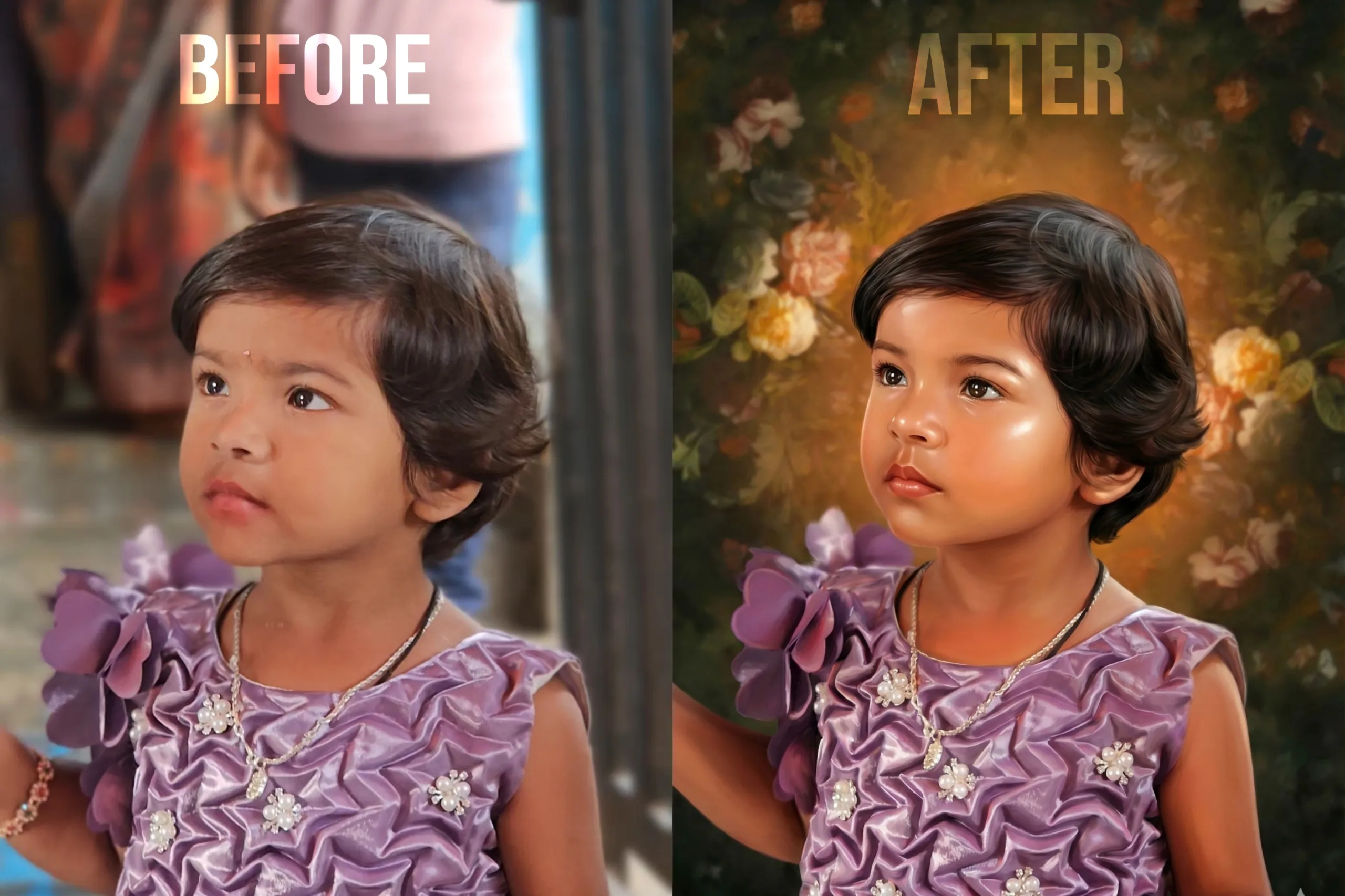
facial structure while enhancing features with smooth warm-toned skin, symmetrical detailing, and
soft glow highlights on the forehead and cheeks. Apply a realistic yet polished illustration style with
glossy skin texture, sharp expressive eyes, and natural hair detail. Add cinematic soft lighting for
depth. Create a background uploaded image
orange tones, slightly blurred to keep focus on the subject. Use studio portrait composition, centered
framing, high resolution, refined brush strokes, realistic hair texture, and 8K ultra-quality artistic
digital painting finish.” Dont change facial expressions, use the same face.
facial structure while enhancing features with smooth warm-toned skin, symmetrical detailing, and
soft glow highlights on the forehead and cheeks. Apply a realistic yet polished illustration style with
glossy skin texture, sharp expressive eyes, and natural hair detail. Add cinematic soft lighting for
depth. Create a background uploaded image
orange tones, slightly blurred to keep focus on the subject. Use studio portrait composition, centered
framing, high resolution, refined brush strokes, realistic hair texture, and 8K ultra-quality artistic
digital painting finish.” Dont change facial expressions, use the same face.
orange tones, slightly blurred to keep focus on the subject. Use studio portrait composition, centered framing, high resolution, refined brush strokes, realistic hair texture, and 8K ultra-quality artistic digital painting finish.” Don’t change facial expressions, use the same face.

Conclusion
Google Gemini makes it easy to create high-quality digital painting images using simple text prompts. With the right prompts, small refinements, and basic editing, even beginners can produce professional-looking artwork.
At the same time, digital artists should think beyond creativity. Building stable income sources, maintaining health, and planning for financial security are just as important as artistic growth. When creativity and long-term planning go hand in hand, a digital art career becomes both sustainable and rewarding.
how to create digital painting images using google geminihow to create digital painting images using google geminihow to create digital painting images using google geminihow to create digital painting images using google geminihow to create digital painting images using google geminihow to create digital painting images using google geminihow to create digital painting images using google geminihow to create digital painting images using google gemini