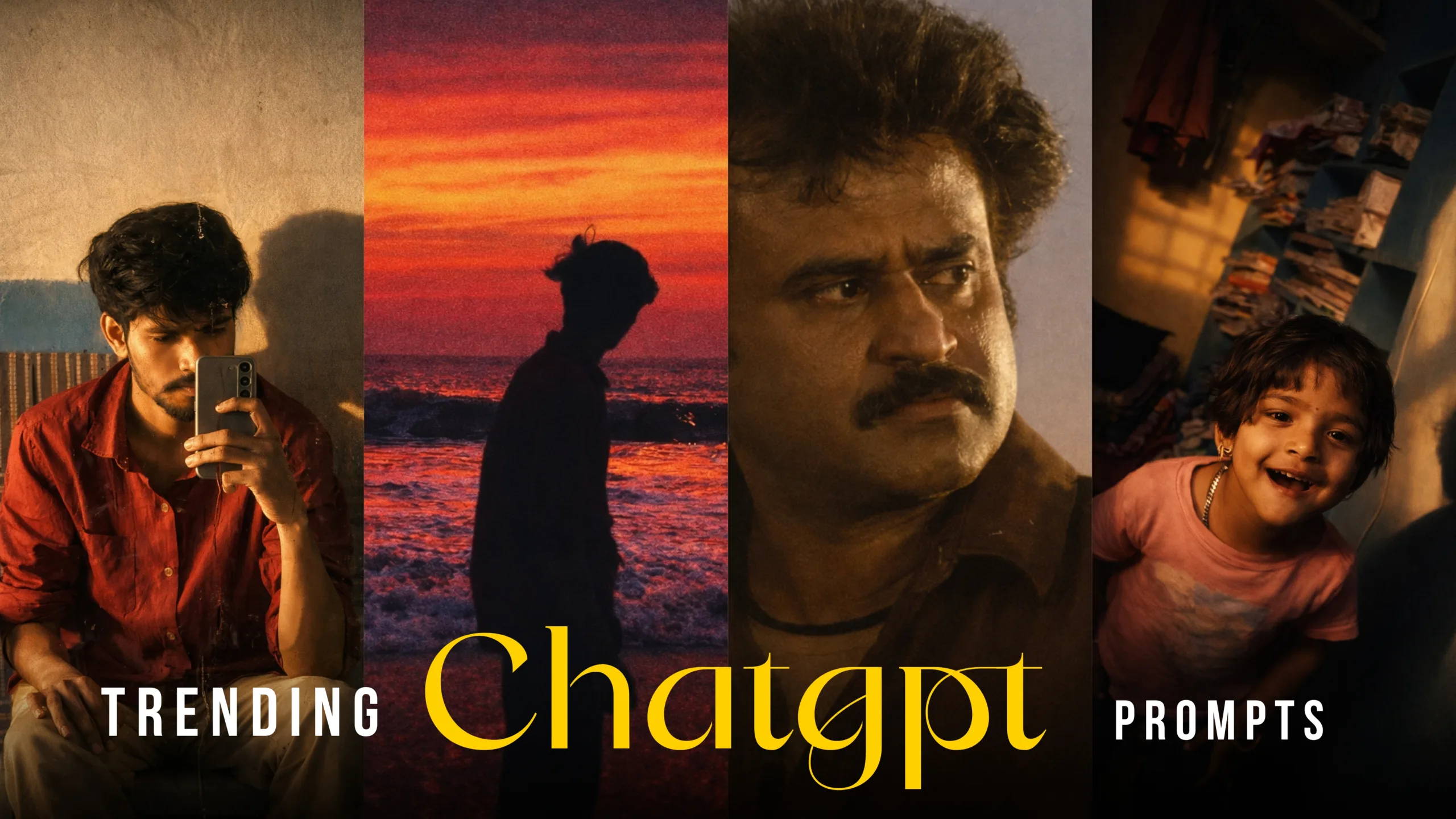
Trending ChatGPT Prompts for Viral AI Photo Editing
In today’s fast-moving digital world, AI-powered photo editing and cinematic image creation have become one of the most exciting trends on Instagram, YouTube Shorts, and other visual platforms. Creators, digital artists, and everyday users are now using ChatGPT prompts to guide AI tools in transforming simple photos into eye-catching, cinematic visuals.
From warm golden-hour portraits to dramatic moody lighting and film-style color grading, the right prompt can turn an ordinary image into a piece of visual storytelling. This guide explains how to use trending ChatGPT prompts to create viral-ready images, even if you have no professional editing experience.
What Are ChatGPT Prompts for AI Photo Editing?
A ChatGPT prompt is a detailed instruction you give to the AI that explains exactly what kind of result you want. When you use these prompts with AI image tools such as DALL·E, Midjourney, Leonardo AI, or Stable Diffusion, they help the system understand things like:
Lighting style
Mood and emotion
Camera angle and depth of field
Color tones
Background and environment
Instead of manually adjusting every setting in a photo editor, you describe the final look in words, and the AI creates it for you.
Why Cinematic AI Images Are Trending on Social Media
People naturally stop scrolling when they see a powerful visual. Cinematic images feel emotional, professional, and story-driven. They often look like scenes from a movie rather than simple phone photos.
Here’s why these images perform so well:
They stand out from regular photos
They feel more emotional and engaging
They look high quality and artistic
They are easy to share and save
Because of this, many creators are now building entire pages and personal brands around AI-generated or AI-enhanced visuals.
Tools You Can Use for This Workflow
You don’t need expensive software or advanced hardware. A simple setup is enough.
1. ChatGPT
Use it to create and refine your image prompts. You can describe your idea in simple words and ask ChatGPT to turn it into a detailed, creative instruction for an AI image generator.
2. AI Image Generator
Choose any of the following tools:
DALL·E
Midjourney
Leonardo AI
Stable Diffusion
These platforms take your prompt and turn it into an image.
3. Final Touch-Up App (Optional)
You can polish the image using:
Lightroom Mobile
Snapseed
Photoshop
This step is optional, but it helps improve sharpness, contrast, and overall balance.
How a Good Prompt Changes Everything
A short prompt like “make my photo cinematic” might give basic results. A detailed prompt tells the AI exactly what kind of story you want the image to tell.
A strong prompt usually includes:
Subject description (who or what is in the photo)
Lighting (sunlight, shadows, studio light, window light)
Mood (happy, dramatic, peaceful, mysterious)
Camera style (DSLR look, shallow depth of field, film lens)
Color tone (warm, cool, vintage, high contrast)
Environment (room, street, sky, mountains, city)
When all these elements are combined, the AI can produce a much more realistic and professional-looking result.
Example Prompt Structure You Can Follow
Here is a simple format you can use to build your own prompts:
“Create a cinematic portrait of [subject], in [environment], with [lighting style], showing a [mood/emotion], using a [camera style], with [color tone], ultra-realistic details, high-quality finish.”
You can change each part based on your creative idea.
Sample Trending ChatGPT Prompts
You can replace these with your own original prompts and styles.
Cinematic Indoor Portrait
“Create a cinematic portrait of a young person standing in a small room, warm golden sunlight entering through a window, soft shadows on the wall, shallow depth of field, DSLR camera quality, realistic skin texture, moody color grading, high-resolution cinematic look.”
Dramatic Black and White Look
“Transform this portrait into a dramatic black and white cinematic photo, high contrast lighting, emotional expression, film grain texture, vintage camera style, sharp focus, professional photography feel.”
Golden Hour Aesthetic
“Generate a golden hour cinematic image with warm sunlight rays, soft glow around the subject, realistic shadows, blurred background, professional color grading, natural skin tones, artistic photography style.”
Step-by-Step Workflow
Step 1: Select Your Photo
Choose a clear image where the subject is visible. Photos with natural light usually work best.
Step 2: Describe Your Idea
Think about how you want the final image to feel. Is it emotional? Calm? Powerful? Write a simple description.
Step 3: Use ChatGPT to Build the Prompt
Paste your idea into ChatGPT and ask it to convert your description into a detailed AI image prompt.
Step 4: Generate the Image
Copy the final prompt into your chosen AI image tool and generate multiple versions.
Step 5: Choose the Best Result
Pick the image that looks the most natural and visually appealing.
Step 6: Final Adjustments
If needed, adjust brightness, contrast, and sharpness in a photo editing app.
Creative Ideas for Using These Images
Here are some fun and practical ways to use your cinematic AI images:
Before and after comparisons
Profile pictures for social media
Visual stories or reels
Digital art collections
Posters and wallpapers
These formats help you show both creativity and technical skill.
Common Mistakes to Avoid
Using very short prompts with no details
Overloading the prompt with too many conflicting styles
Choosing blurry or low-quality original photos
Ignoring lighting and mood
Keeping your prompts clear and focused gives better results.
How to Develop Your Own Prompt Style
As you practice, you’ll start noticing what kind of prompts give you the best results. Try keeping a small collection of your favorite words and phrases related to:
Light
Emotion
Camera styles
Color tones

Mix and match them to create a unique visual signature.
The Creative Power of AI in Photo Editing
AI is not here to replace creativity—it helps you express it faster. Instead of spending hours adjusting sliders, you can focus on ideas, emotions, and storytelling.
With the right ChatGPT prompts, your images can look cinematic, professional, and visually powerful, even if they started as simple mobile photos.
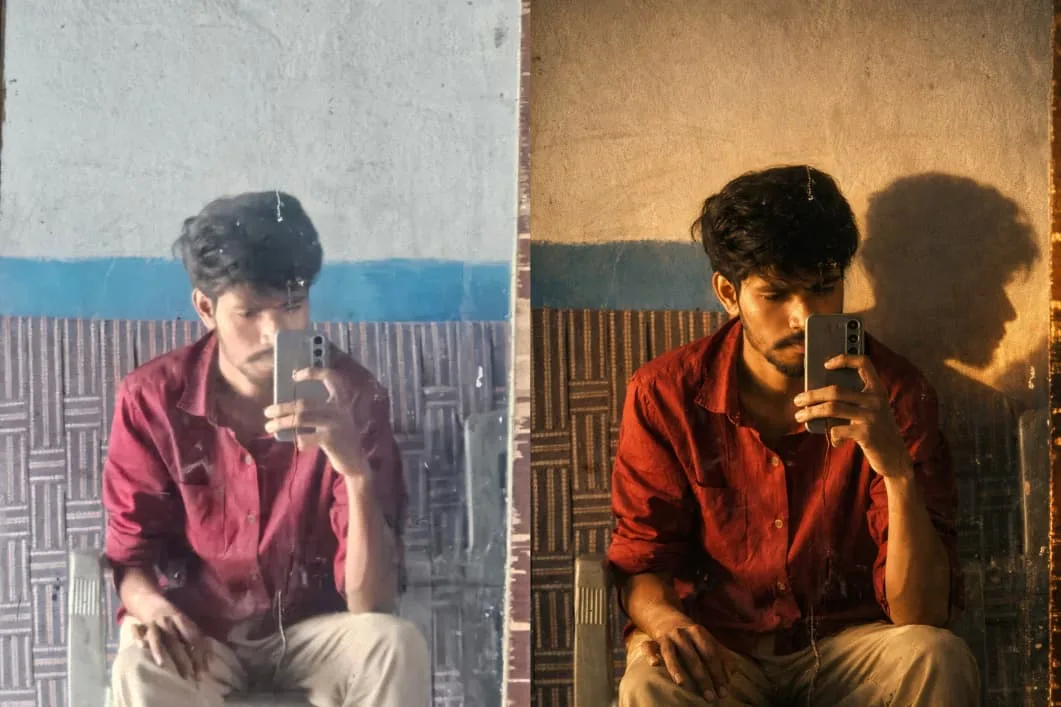
Prompt 01
Create a moody, mysterious cinematic portrait using the provided reference image.Do not change the pose, facial expression, camera angle, framing, background, or composition in any way. Preserve every original detail exactly as in the reference.Enhance the scene with warm
golden-hour sunlight entering from the side, casting a strong, dramatic shadow of the face clearly visible on the plain wall behind.Lighting should feel natural, soft yet contrast-rich, with cinematic depth and atmospheric mood.Upgrade image quality: Restore old/low-quality photo into ultra-HD Sharpen facial details while keeping skin texture realistic Improve dynamic range, clarity, and color depth Reduce noise and compression artifacts Maintain photorealism (no over-smoothing, no artificial skin)Overall tone: moody, mysterious,cinematic, warm highlights with deepshadows.Natural color grading, film-like contrast, subtle grain.
Aspect Ratio: 9:16
Style: realistic cinematic portrait, professional photography No changes to subject identity
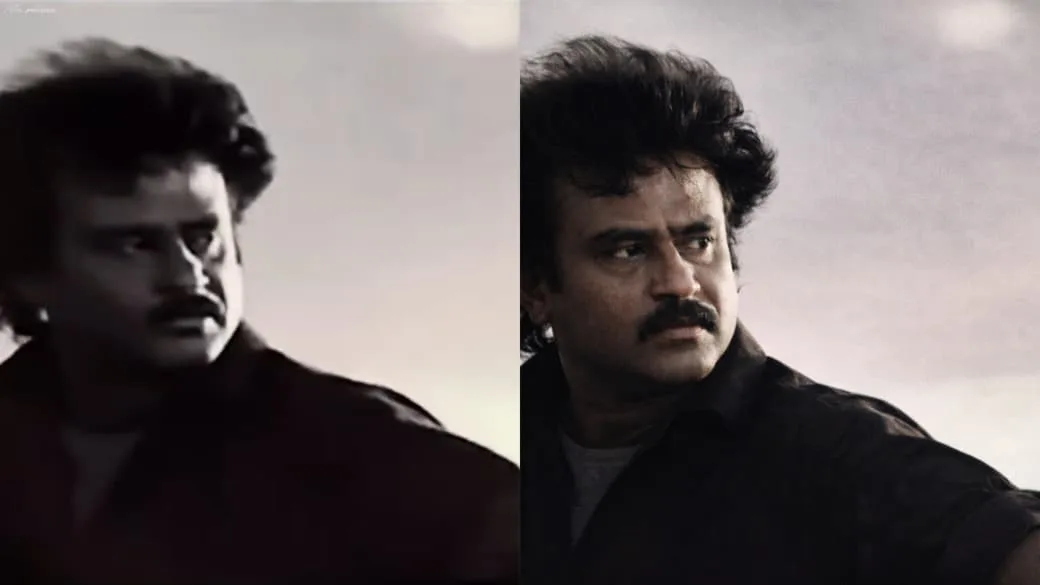
Prompt 2
Enhance the existing photo only – keep the original framing, angle composition, and facial proportions
1,126
exactly the same.Do not crop, zoom
or convert to a close-up.Improve overall image clarity and sharpness naturally, with special attention to eye detail while keeping the full face
and original framing intact Refine focus slightly for better definition without makinq it overly sharp
Apply soft, natural cinematic lightinc correction, preserving realistic shadows and depth already present in the image.
Enhance natural skin texture with visible pores and fine details – nc beauty smoothing, no skin softening Remove digital noise and compression artifacts while retaining organic texture. Improve dynamic range and contrast subtly, with muted highlights and rich mid-tones.
Maintain accurate, organic skin tones with realistic color balance. Add very subtle cinematic film grair for a professional movie-stil
look.Background should remain exactly as it is, only slightly cleaner if noisy – no artificial blur added Preserve all facial features,
expressions, hair strands, and natural imperfections.
Photorealistic result, professiona camera look, high-quality enhancement only – no stylization. ○ NEGATIVE PROMPT (CRITICAL, close-up, zoomed-in, cropped face, changed framing, face alteration reshaped features, beauty filter oversmoothed skin, plastic skin,
waxy texture, Al face, cartoon, anime, CGI, illustration, painting, artificial blur. fake bokeh. harsh lighting, flat lighting,
over-sharpening, halos, HDR look, distorted eves, asymmetry, extra details, digital artifacts, smartphone filter look.
RECOMMENDED SETTINGS (IMPORTANT)
Image-to-Image Strength/Denoise 0.15- 0.30 CFG / Guidance:5-7 Steps: 25-35
Face Restoration: OFF Upscale: After final result only (2x
max)
Seed: Fixed (for consistency
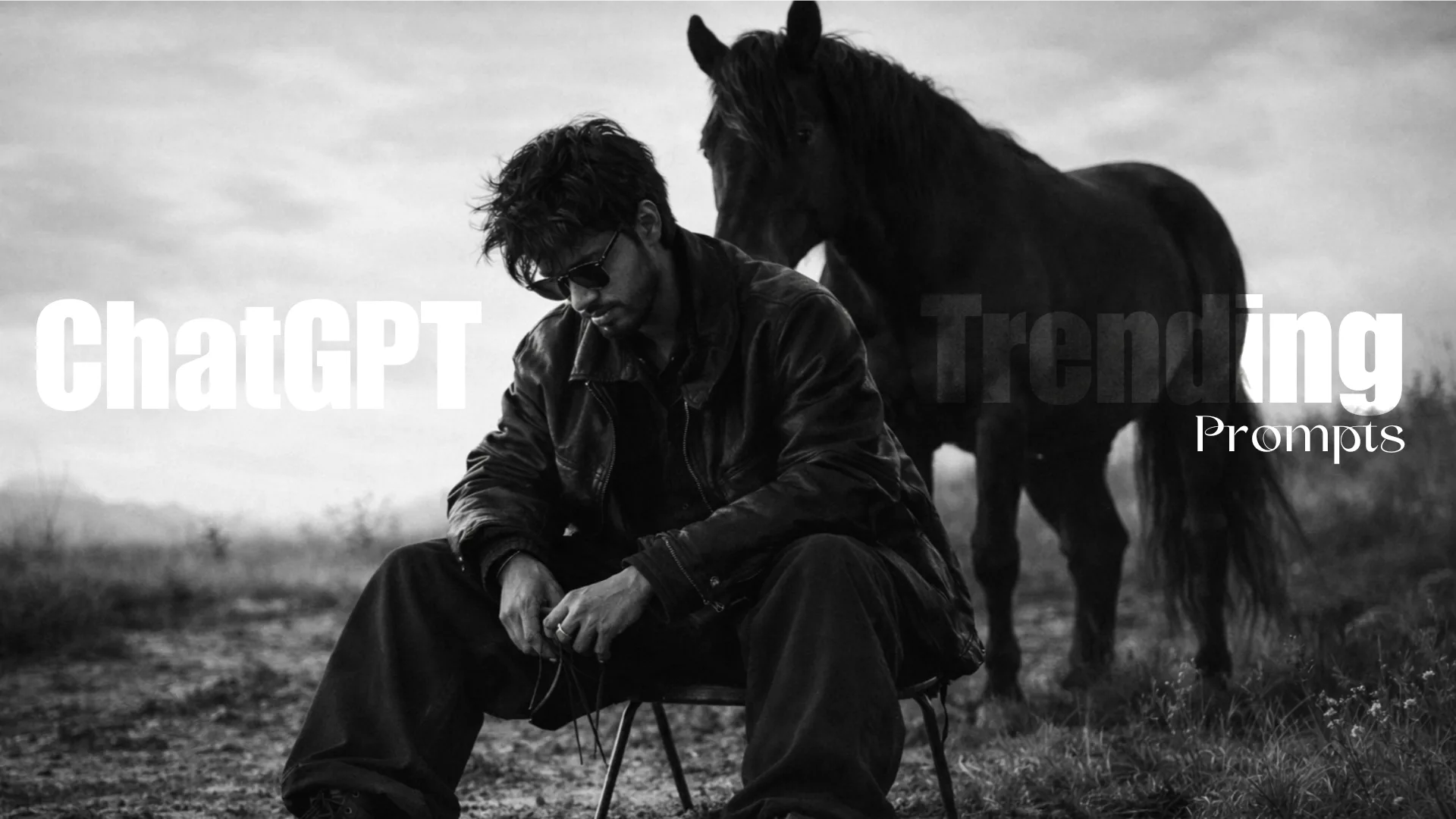
Prompt 3
Photograph me sitting low on a minimalist metal stool, legs spread forward in a relaxed, grounded pose feed planted on uneven outdoor terrain. One hand loselt resting between the knees holding thir leather iacket reins, shoulders slightly slouched, head tiltec downward in a calm, introspection expression, the subiect wears dark oversized layered clothing, wide-lec trousers, leather boots, and dark sunglasses,. Astrong black horse stands closelv behind the seated fiqure aligned procetectivelv and lartially overlapping the subjects silhouette,. Open natural landscapes with rough ground and wild grass bright overexposed sky creating strong negative space. High contraat lighting, deep blacks, sofi highlight,, mmatte texture, timeless, cinematic mood. Medium format firm look. Subtle grain. Monochrome fine art fashion editorial, advant garde luxury photography, don’t harm the equalitv of the picture qive me in 1080 quality.
prompt 4
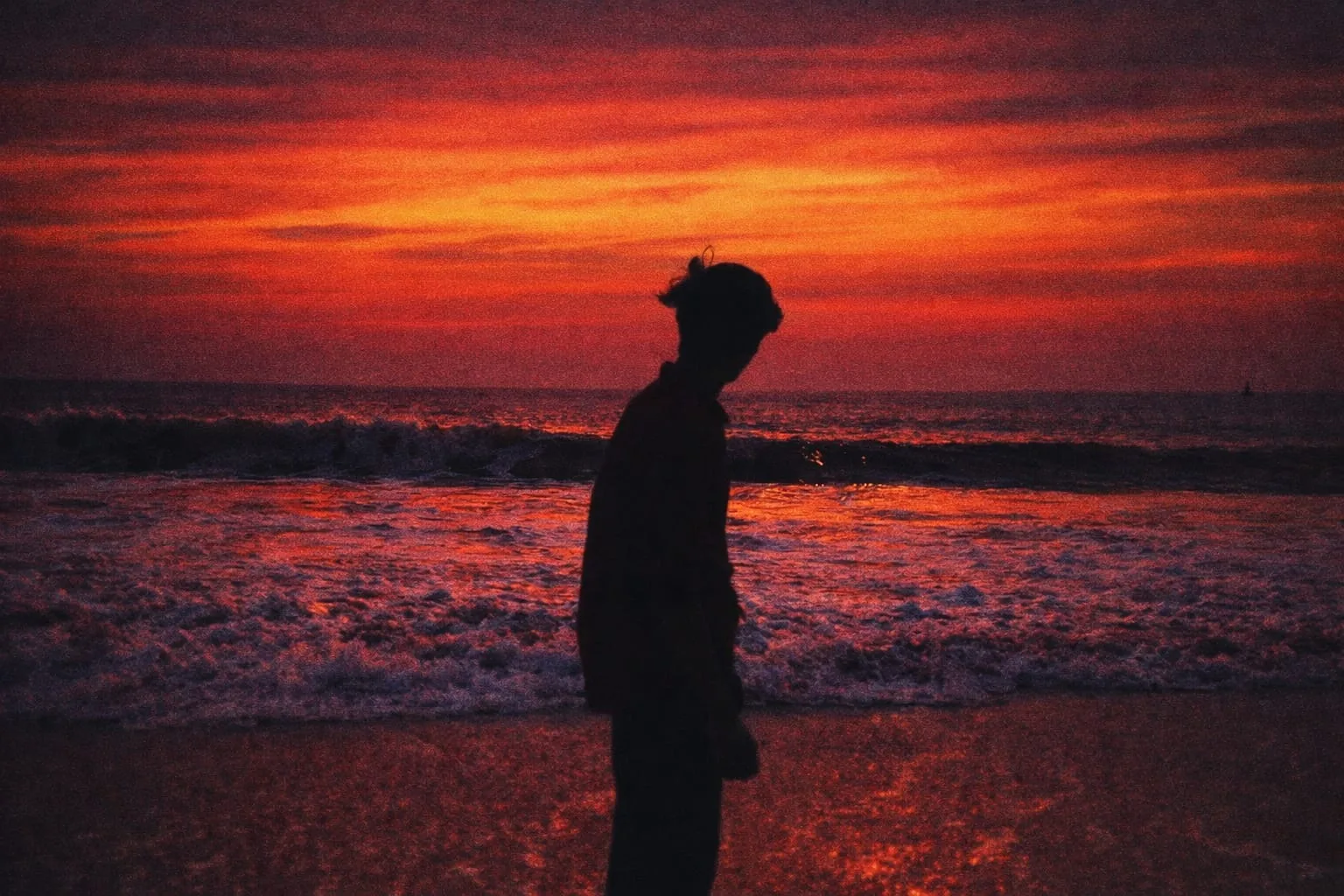
Transform the background into an evening beach scene with a dramatic sunset sky in rich red and orange tones. Keep the waves visible, add a subtle film-grain texture, and make the whole image look cinematic and aesthetic
Final Thoughts
Trending ChatGPT prompts open up a new world of creative possibilities. Anyone can now experiment with cinematic lighting, dramatic moods, and artistic photo styles without advanced technical knowledge.
The real magic is not just in the tools—it’s in how you describe your vision. The more clearly and creatively you write your prompts, the more impressive your images will become.
Keep experimenting, refining your words, and building your own visual style. Over time, you’ll develop a signature look that makes your content instantly recognizable.
Optional Featured Image Prompt (16:9 Format)
“Create a cinematic split-screen image showing before and after AI photo editing, warm golden lighting on one side, cool moody tones on the other, bold text saying ‘Trending ChatGPT Prompts’, high contrast, professional digital art style, high-resolution finish.”
Trending ChatGPT Prompts for Viral AI Photo Editing Trending ChatGPT Prompts for Viral AI Photo Editing Trending ChatGPT Prompts for Viral AI Photo Editing Trending ChatGPT Prompts for Viral AI Photo Editing Trending ChatGPT Prompts for Viral AI Photo Editing Trending ChatGPT Prompts for Viral AI Photo Editing Trending ChatGPT Prompts for Viral AI Photo Editing Trending ChatGPT Prompts for Viral AI Photo Editing Trending ChatGPT Prompts for Viral AI Photo Editing Trending ChatGPT Prompts for Viral AI Photo Editing Trending ChatGPT Prompts for Viral AI Photo Editing Trending ChatGPT Prompts for Viral AI Photo Editing