Top AI Photo Editing Prompts for ChatGPT That Go Viral on Instagram (2026 Guide)
Artificial Intelligence has completely changed the way creators edit photos for Instagram. From cinematic portraits to dramatic movie-style edits, AI tools are helping creators produce stunning visuals within minutes. Today, many Instagram creators are using ChatGPT prompts to generate unique photo editing ideas, create viral images, and improve their social media content without spending hours editing.
If you want your Instagram photos to stand out, using the right AI photo editing prompts can make a huge difference. In this guide, you’ll discover some of the best AI photo editing prompts for ChatGPT that can help you create eye-catching and viral Instagram images.
What Are AI Photo Editing Prompts?
AI photo editing prompts are detailed instructions that describe how an image should look after editing. These prompts can be used with AI image generation and editing tools to achieve a specific style, mood, lighting effect, or artistic appearance.
For example, instead of simply asking an AI tool to “edit my photo,” you can provide detailed instructions such as:
“Transform this portrait into a cinematic scene with golden hour lighting, shallow depth of field, dramatic shadows, warm skin tones, realistic details, and a professional photography look.”
The more detailed your prompt is, the better the final result will be.
Why Are AI-Edited Instagram Photos Going Viral?
Instagram users are constantly looking for fresh and visually appealing content. AI-generated edits attract attention because they often feature:
-
Cinematic lighting effects.
-
Professional color grading.
-
Realistic details.
-
Creative backgrounds.
-
Trending visual styles.
-
Unique artistic concepts.
Creators who combine trending editing styles with high-quality prompts often receive more engagement, shares, and saves.
How to Use ChatGPT for AI Photo Editing
Using ChatGPT for photo editing is simple:
Step 1: Choose an AI Editing Tool
Select an AI image editing platform such as:
-
ChatGPT Image Generator
-
Google Gemini
-
Adobe Express AI
-
Canva AI
-
Leonardo AI
-
Midjourney
Step 2: Upload Your Photo
Upload your original image to the AI editing tool.
Step 3: Enter the Prompt
Copy and paste one of the prompts listed below.
Step 4: Customize the Results
Experiment with different styles, lighting, colors, and backgrounds to create unique results.
Best AI Photo Editing Prompts for Viral Instagram Photos
Below are some of the most effective AI prompts currently trending among Instagram creators.
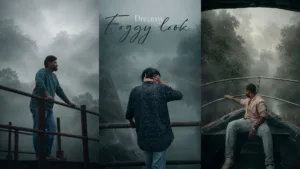
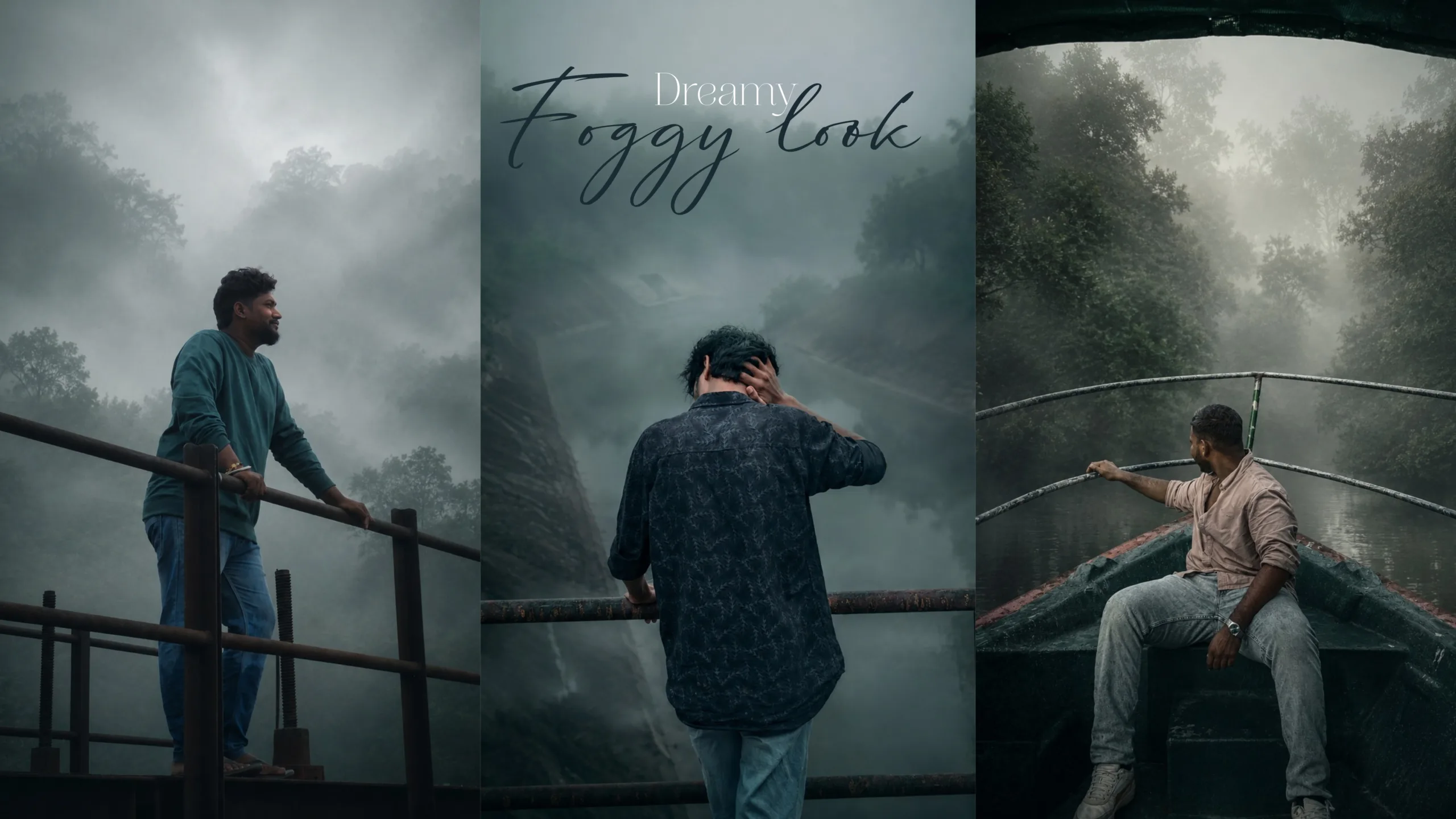
1. Moody Foggy Prompt
Prompt:
Transform this image into a breathtaking ultra-realistic foggy forest masterpiece. Add dense natural white fog covering the entire environment, creating a mysterious and cinematic atmosphere. Apply rich forest-inspired color grading with deep emerald green, dark teal, moss green, and earthy brown tones. Enhance the trees, foliage, and background elements to resemble a lush enchanted forest hidden in the mist. Introduce soft volumetric light rays subtly penetrating through the fog, creating depth and realism. Increase overall image quality to ultra-high-definition 4K resolution with razor-sharp details, HDR enhancement, realistic textures. balanced contrast, and natural color harmony. Improve shadows, highlights, and dynamic range while maintaining a realistic appearance. Add a moody woodland aesthetic, dreamy fog layers, atmospheric perspective, and professional cinematic photography grading. The final result should look like a premium DSLR forest photograph captured during a cold misty morning, with ultra-realistic details, immersive depth, soft natural lighting, and stunning visual quality. Style: Cinematic Forest Photography, Moody Nature, Dense Fog Weather, Volumetric Lighting, HDR, UItra Realistic, Professional Color Grading, 4K Quality, DSLR Shot, Atmospheric Depth, Photorealistic. Strictly don’t change the face
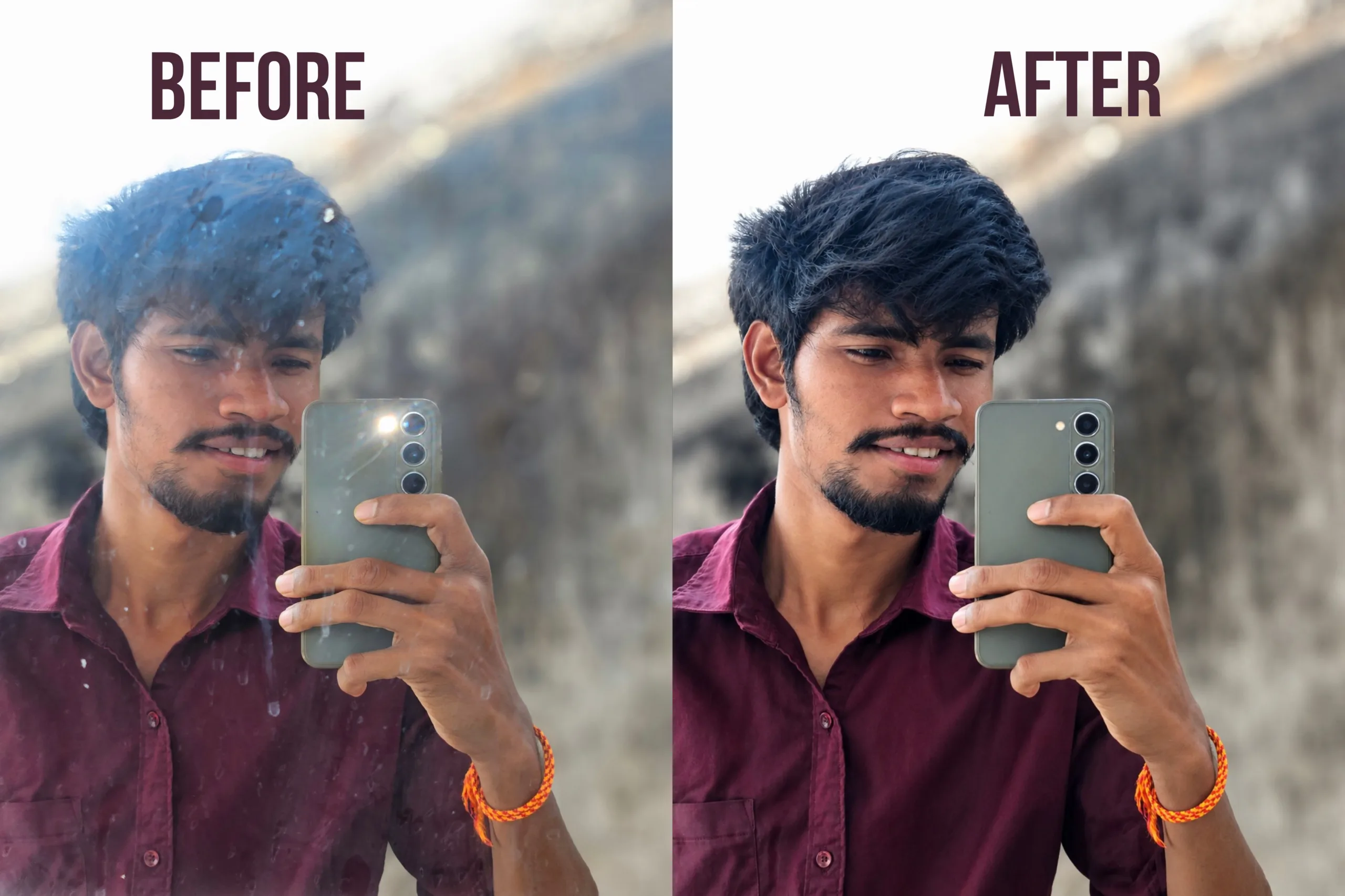
2. Mirror Prompt
Prompt:
Clean mirror selfie, remove dust, smudges, stains, and mirror marks while keeping the reflection natural. Maintain original pose, outfit, facial features, hairstyle, and background. Crystal-clear reflection, realistic skin texture, natural lighting, soft contrast, sharp details, DSLR-quality portrait, enhanced clarity, high resolution, realistic colors, subtle depth of field, cinematic yet natural look, photorealistic image, no over-editing, no excessive smoothing, premium quality.
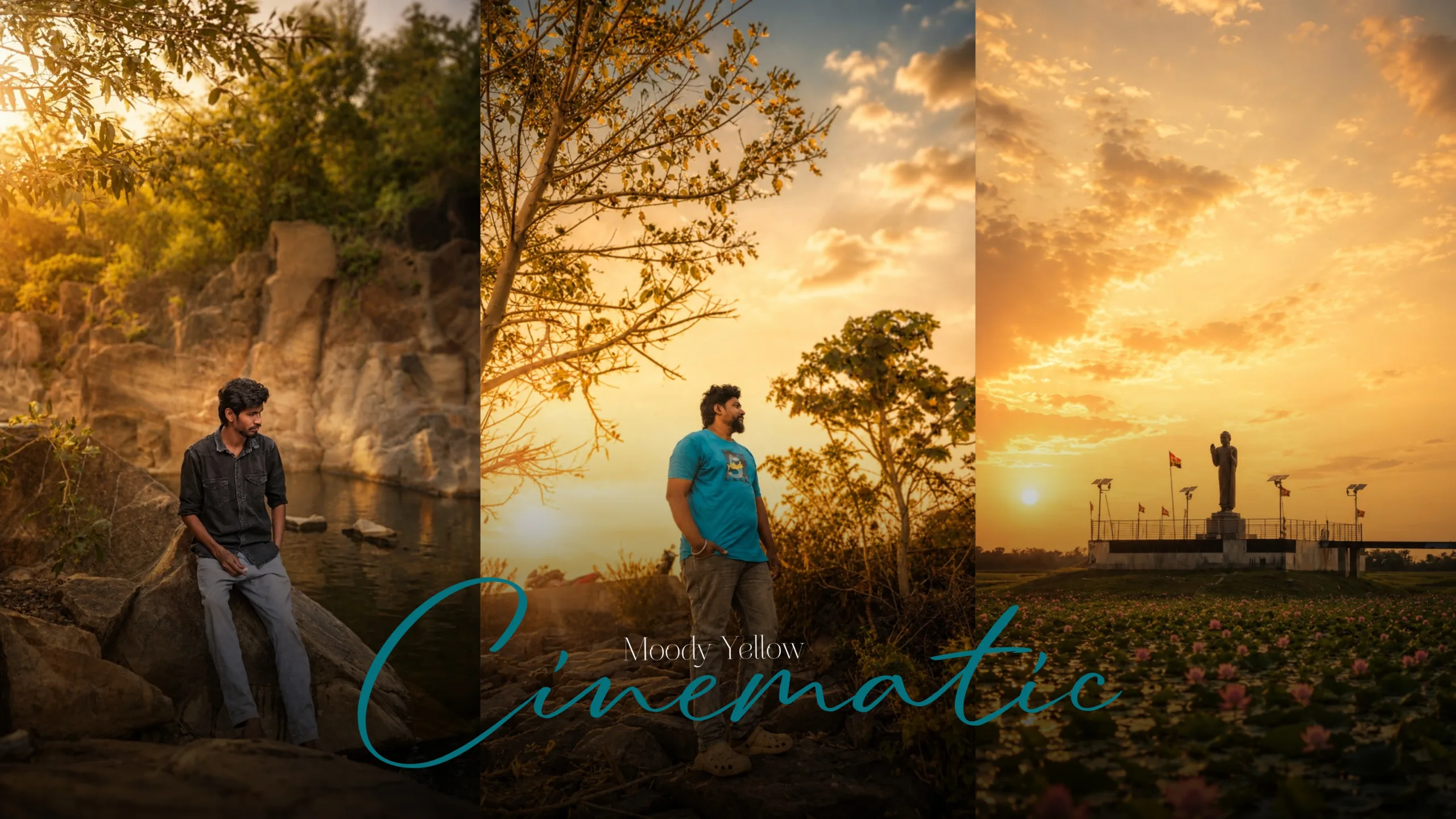
3. Moody Cinematic Prompt
Prompt:
Convert this image into a premium cinematic rural photography masterpiece. Keep the original framing and subiect unchanged. Add soft golden-hour lïght rays, warm sunlight glow, dreamy atmosphere, natural village aesthetic, DSLR 85mm portrait lens effect, creamy bokeh, shallow depth of field. soft haze. realistic HDR rich textures, enhanced greens and earth tones, subtle cinematic color grading, smooth highlights, realistic shadows, ultra-detailed foliage, professional photography look, peaceful countrvside mood, Liahtroom cinematic preset, soft and elegant tones, photorealistic, ultra-realistic, 8K HDR, high-quality DSLR image, visually stunning and attractive.soft cinematic bloom, dreamy light diffusion, luxury DSLR photography, Kodak Portra color tones, award-winning photography.
Tips to Make AI Photos Go Viral on Instagram
Creating beautiful images is only part of the strategy. Follow these tips to maximize engagement:
1. Follow Trending Visual Styles
Keep an eye on trending editing styles, color grades, and Instagram aesthetics.
2. Use High-Quality Original Photos
AI performs best when the original image is clear and properly exposed.
3. Add Personal Creativity
Do not rely entirely on AI. Add your own creative touch to make your content unique.
4. Maintain Consistency
Creators who maintain a consistent visual style often build stronger personal brands.
5. Experiment Frequently
Try different prompts, lighting styles, and compositions to discover what works best for your audience.
Best AI Tools for Photo Editing in 2026
Some of the most popular AI tools for photo editing include:

-
ChatGPT
-
Google Gemini
-
Adobe Express
-
Canva
-
Leonardo AI
Final Thoughts
AI photo editing is transforming content creation on Instagram. With the right ChatGPT prompts, creators can generate cinematic, professional, and visually striking images in just a few minutes.
The secret to creating viral Instagram photos is combining detailed prompts, high-quality images, and your own creativity. Start experimenting with these AI photo editing prompts today and discover which styles resonate most with your audience.
Top AI Photo Editing Prompts for ChatGPTTop AI Photo Editing Prompts for ChatGPTTop AI Photo Editing Prompts for ChatGPTTop AI Photo Editing Prompts for ChatGPTTop AI Photo Editing Prompts for ChatGPTTop AI Photo Editing Prompts for ChatGPTTop AI Photo Editing Prompts for ChatGPTTop AI Photo Editing Prompts for ChatGPTTop AI Photo Editing Prompts for ChatGPTTop AI Photo Editing Prompts for ChatGPT