Introduction
Hanuman & Cute Baby AI Videos
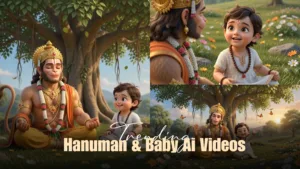
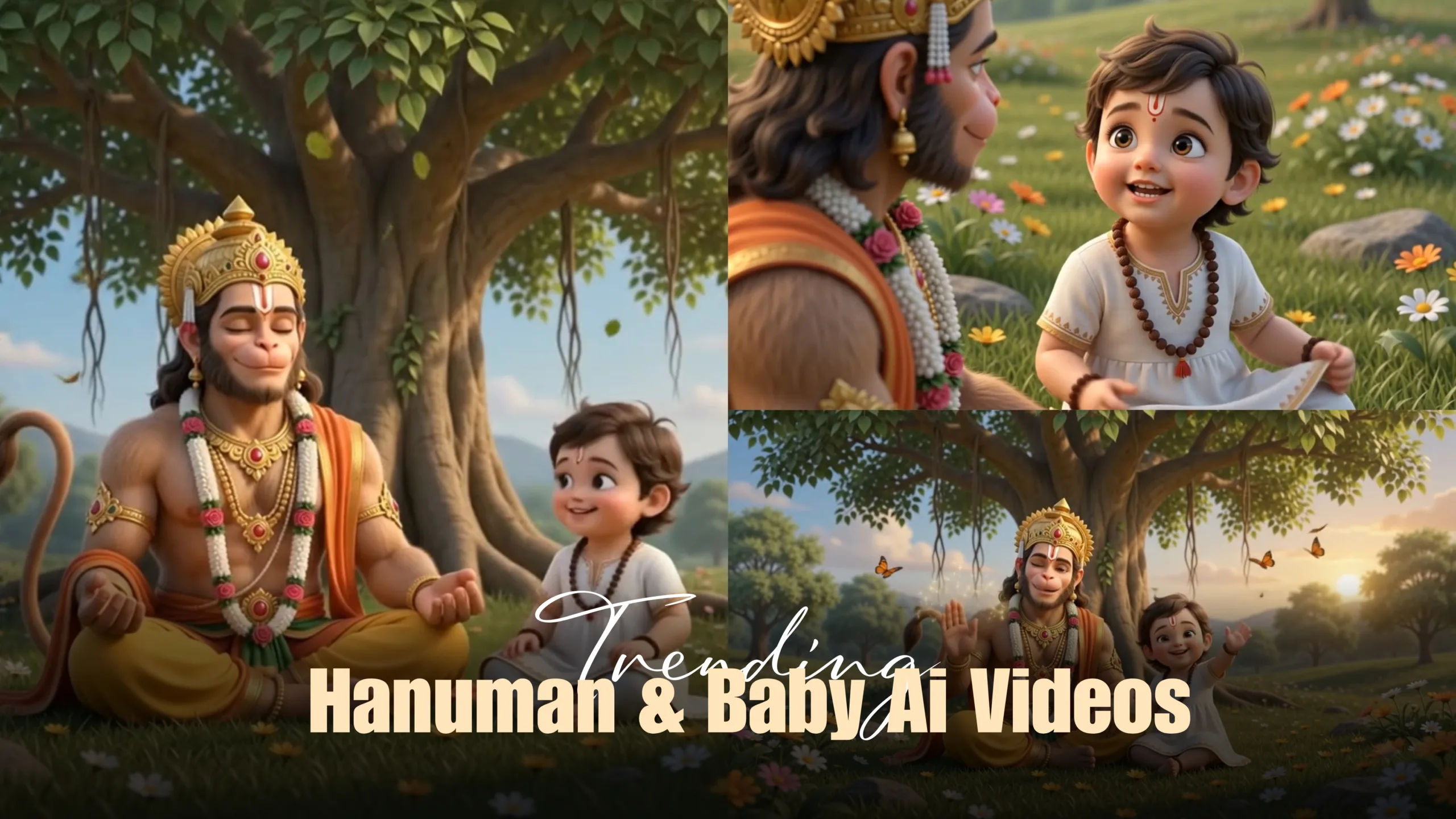
Artificial Intelligence has completely transformed content creation, making it possible for anyone to create high-quality animated videos without expensive software or professional editing skills. One of the biggest trends on Instagram Reels and YouTube Shorts right now is Pixar-style Hanuman and Cute Baby AI videos. These short, emotional, and visually stunning animations are attracting millions of views because they combine devotional storytelling, adorable characters, and cinematic visuals.
If you’ve ever wondered how creators make these videos, you’re in the right place. In this guide, you’ll learn the complete process of creating viral Hanuman and Cute Baby AI videos using Google Flow. From writing a simple story to generating a storyboard, creating AI images, writing detailed prompts, and producing cinematic videos, this tutorial covers everything you need to know.
Whether you’re a beginner or an experienced content creator, this guide will help you create engaging AI videos that have the potential to go viral.
Why Hanuman & Cute Baby AI Videos Are Trending
Instagram’s algorithm loves content that keeps people watching until the end. Hanuman and Cute Baby AI videos naturally perform well because they combine emotion, spirituality, innocence, and beautiful visuals.
These videos are easy to understand, family-friendly, and highly shareable. A short conversation between Hanuman and a little child can create a powerful emotional connection within just a few seconds.
Popular ideas include:
- Hanuman teaching life lessons.
- Cute baby asking innocent questions.
- Funny conversations.
- Motivational stories.
- Devotional moments.
- Moral stories.
- Family-friendly animations.
This niche is still growing, making it a great opportunity for creators.
What is Google Flow?
Google Flow is an AI-powered filmmaking platform that transforms text prompts into cinematic videos. Instead of manually animating characters, users simply describe a scene, upload reference images, and let AI generate professional-quality animations.
Some of its best features include:
- Cinematic camera movements
- Consistent character animation
- Smooth facial expressions
- High-quality lighting
- Story-based scene generation
- Natural environment creation
- Professional animation quality
When combined with good prompts and storyboards, Google Flow can produce videos that look like animated short films.
Step 1: Write a Simple Story
Every successful AI video begins with a simple idea.
Don’t try to create a long or complicated script. Instead, focus on one meaningful interaction.
For example:
A little boy sits beside Hanuman under a large banyan tree and asks,
“Hanuma… Can I play with your gada?”
Hanuman smiles lovingly and replies,
“This one is too heavy for you. Let me give you a smaller one.”
The story is simple, emotional, and perfect for a 30–60 second Instagram Reel.
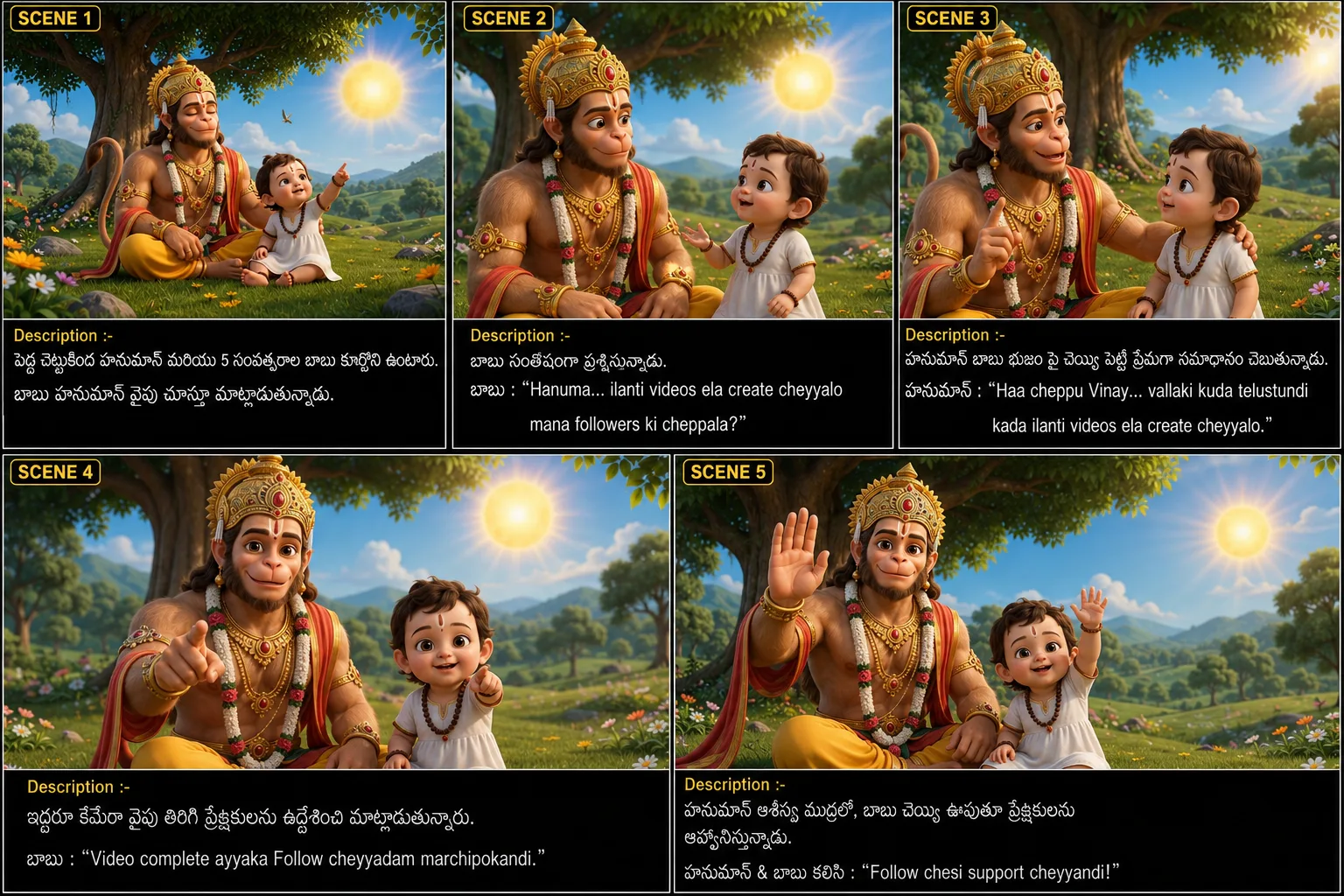
Step 2: Create a 5-Scene Storyboard
Never generate the video directly.
Instead, divide your story into five clear scenes.
Example:
Scene 1
Hanuman and the little boy sit under a large banyan tree.
Scene 2
The boy notices Hanuman’s golden gada.
Scene 3
The boy politely asks for the gada.
Scene 4
Hanuman magically creates a smaller golden gada.
Scene 5
The boy smiles happily while Hanuman blesses him.

A storyboard helps maintain consistency throughout the animation.
Step 3: Use a Reference Image
One of the biggest mistakes beginners make is generating every scene separately without a reference image.
This causes:
- Different faces
- Different costumes
- Different lighting
- Different environments
Always create one high-quality reference image first.
Use that same image for every storyboard scene and every Google Flow video prompt.
Doing this keeps your Hanuman and Cute Baby characters consistent from beginning to end.
Step 4: Write Detailed AI Image Prompts
AI performs much better with detailed descriptions.
Instead of writing:
Hanuman gives a gada.
Write something like:
“Pixar-style 3D Hanuman sitting peacefully under a large banyan tree during warm golden morning sunlight. His divine golden gada rests beside him while a smiling five-year-old Indian boy sits next to him with innocent expressions. Soft breeze, colorful flowers, cinematic lighting, expressive faces, ultra-detailed 3D animation.”
The more details you provide, the better the results.
Step 5: Generate the Storyboard
Generate each storyboard image individually.
Maintain:
- Same Hanuman design
- Same child design
- Same costumes
- Same background
- Same tree
- Same lighting
- Same color palette
Every scene should feel like it belongs to the same movie.
Step 6: Create the Google Flow Video Prompt
Once your storyboard is complete, upload it into Google Flow.
Write a detailed prompt that includes:
- Scene descriptions
- Character actions
- Camera angles
- Facial expressions
- Dialogues
- Background music
- Sound effects
- Lighting
- Animation quality
For example:
“Use the uploaded storyboard as the primary reference. Maintain the exact same Pixar-style characters throughout the animation. Keep Hanuman’s appearance, the little boy’s face, costumes, environment, and lighting completely consistent. Create smooth cinematic camera movements, realistic facial expressions, and emotional storytelling.”
Detailed prompts produce much better videos than short prompts.
Step 7: Add Natural Dialogues
Natural conversations make AI videos feel alive.
Keep dialogues short and emotional.
Example:
Boy:
“Hanuma… can I play with your gada?”
Hanuman:
“My child, this gada is too heavy. Let me give you a smaller one.”
Simple dialogues also improve AI lip-sync quality.
Step 8: Add Cinematic Camera Angles
Professional-looking videos always use camera movements.

Popular camera angles include:
- Slow zoom-in
- Close-up
- Wide cinematic shot
- Orbit shot
- Over-the-shoulder shot
- Slow-motion reveal
- Drone-style ending
These movements make even simple stories feel cinematic.
Step 9: Background Music and Sound Effects
Audio is just as important as visuals.
For devotional AI videos, use:
- Soft flute
- Veena
- Temple bells
- Birds chirping
- Gentle breeze
- Magical sparkle sounds
- Orchestral strings
Avoid loud music that distracts from the story.
Step 10: Optimize for Instagram Reels
To improve your chances of going viral:
- Keep videos between 30–60 seconds.
- Use vertical 9:16 format.
- Start with an emotional hook.
- Add subtitles.
- End with a call-to-action such as “Follow for more AI stories.”
Consistency matters more than uploading one perfect video.
Common Mistakes to Avoid
Many beginners make these mistakes:
- Using inconsistent characters.
- Writing very short prompts.
- Forgetting camera movements.
- Using robotic dialogue.
- Ignoring background music.
- Changing lighting between scenes.
- Adding too many characters.
Avoiding these mistakes will improve your video quality significantly.
Prompt :
Nuvvu naa permanent AI Storyboard & Video Prompt Creator. Nenu oka reference image upload chestha. Aa image style, character design, lighting, colors, expressions, background, costumes, quality, Pixar-style 3D look ni exact ga maintain cheyyali. Nenu iche story ni base chesukoni first 5-image cinematic storyboard create cheyyali. Prathi storyboard image ki: • Scene Number • Detailed Image Prompt • Character Expressions • Camera Angle • Background Details • Lighting • Same character consistency Storyboard ayyaka automatic ga Google Flow (Veo) kosam complete cinematic video generation prompt create cheyyali. Video prompt lo compulsory include cheyyali: • Uploaded storyboard image ni reference ga use cheyyamani. • Same character consistency. • Same Pixar-style quality. • Scene-wise cinematic direction. • Telugu dialogues. • Lip-sync instructions. • Camera movements. • Character emotions. • Background music. • Sound effects. • Environment ambience. • Lighting. • Animation quality. • Ending scene. • 4K HDR cinematic quality. Story lo Hanuman unte Hanuman design motham same maintain cheyyali. Child unte age, face, dress complete same maintain cheyyali. Story motham continuity break avvakudadhu. Response order always ila undali: 1. Storyboard (5 Images) 2. Image Prompts 3. Google Flow Complete Video Prompt 4. Background Music 5. Sound Effects 6. Negative Prompt (Characters change avvakunda, extra characters ravakunda, consistency maintain cheyyadaniki Nenu prathi sari reference image + story matrame istha. Migatha process motham automatic ga nuvve complete cheyyali.
Conclusion
Creating viral Instagram Hanuman and Cute Baby AI videos has never been easier. With a simple story, a detailed storyboard, strong prompts, and Google Flow, anyone can produce cinematic animations that captivate audiences.
Remember, people connect with emotions more than technology. Focus on telling meaningful, heartwarming stories. Use consistent characters, natural dialogues, cinematic visuals, and engaging audio. With regular practice and creative storytelling, you can build a unique AI content brand and grow your audience on Instagram and YouTube.
Hanuman & Cute Baby AI VideosHanuman & Cute Baby AI VideosHanuman & Cute Baby AI VideosHanuman & Cute Baby AI VideosHanuman & Cute Baby AI VideosHanuman & Cute Baby AI VideosHanuman & Cute Baby AI VideosHanuman & Cute Baby AI VideosHanuman & Cute Baby AI VideosHanuman & Cute Baby AI VideosHanuman & Cute Baby AI VideosHanuman & Cute Baby AI VideosHanuman & Cute Baby AI VideosHanuman & Cute Baby AI Videos